I have tested Docker Sandboxes and it is genius.
Imagine you run Claude Code to debug some issue, and suddenly it asks you for permission to run this:
docker compose down && \
docker image rm mertbergblog-webservice-app 2>/dev/null; \
docker network inspect blog >/dev/null 2>&1 || docker network create blog && \
docker compose up -d --build && \
until docker compose exec db pg_isready -U blog -d blog >/dev/null 2>&1; do sleep 1; done && \
docker compose exec app goose -dir /migrations postgres "$DATABASE_URL" up && \
docker image prune -f --filter "dangling=true" && \
docker compose logs -f app
Scary, huh?
But what if there is a solution? It is called Docker Sandboxes, or sbx.
What does Docker Sandboxes do?
Basically it creates a microVM and runs a coding agent inside it.
That is the theory. What does it actually mean? A microVM is not a container. Containers are like flats in one building: separate front doors, but one foundation and one set of pipes, which in this case means one shared kernel. A microVM is its own small house on the same street. Own kernel, own filesystem, own network, own Docker daemon.
The street still belongs to the host, and we will come back to that at the end.
One detail that most posts about this get wrong, including mine before I checked: microVM does not automatically mean Firecracker. Almost everything written about microVMs describes Amazon's Firecracker, which is where the famous numbers come from, 125 ms boot and under 5 MiB overhead. Docker Sandboxes appears to use libkrun with virtiofs instead. So those numbers are a nice analogy and not a measurement of sbx. Worth knowing before you quote them at someone.
The isolation boundary in sbx is the folder you start it from. Run it inside a project directory and the agent sees that project. Run it from your home directory and the agent sees everything in your home directory. That single detail decides most of your security posture, so it is worth getting right before anything else.
Which brings us to the next section.
Why Docker Sandboxes makes AI agent supported coding safer
Let's say you want to try something out with your AI coding agent and you need a safe space to do it. An isolated microVM is the right thing for that.
It is also the right choice when you want to keep things away from the agent. Your .env file, your API keys, the credentials you configured months ago and forgot about. You are worried the agent might store that data somewhere, and I bet a lot of API keys have already ended up in places where nobody expected them. If there is ever a successful attack on one of the model providers, that is going to be a bad week for a lot of people.
So it is a good security measure. Not because it makes the agent trustworthy, but because it gives you a tool to use AI more responsibly. That is what I actually like about it: it changes what I am willing to allow, not what the model does.
Now you might ask how to use your IDE with sbx. Let's see.
Docker Sandboxes over SSH
You can create an SSH connection to a sandbox. First configure your ~/.ssh/config:
sbx setup ssh
Then create the sandbox:
sbx create --name <NAME_OF_SBX_HOST> shell .
After that you connect with:
ssh <NAME_OF_SBX_HOST>.sbx
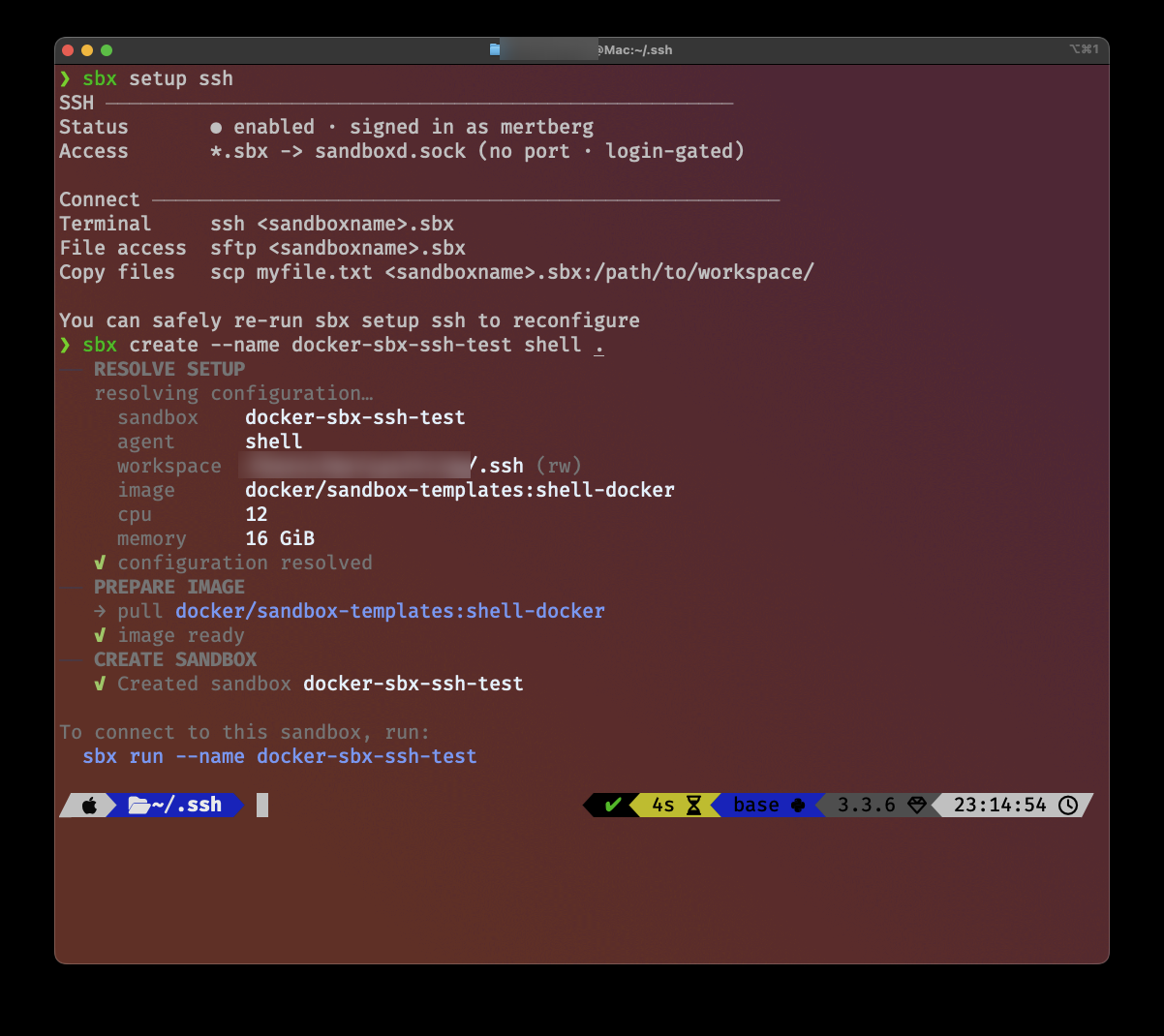
sbx setup ssh writes the config, sbx create resolves everything and tells you how to connect.
One thing you can see in that screenshot, and I am putting it here on purpose: the workspace of that sandbox is my ~/.ssh directory, mounted read-write. I did that while testing the SSH setup and did not think about it for a second. It is exactly the mistake I describe further down. The sandbox does not protect you from the folder you chose yourself.
In Cursor and VS Code you can use the "Connect to..." function to open a folder over SSH.
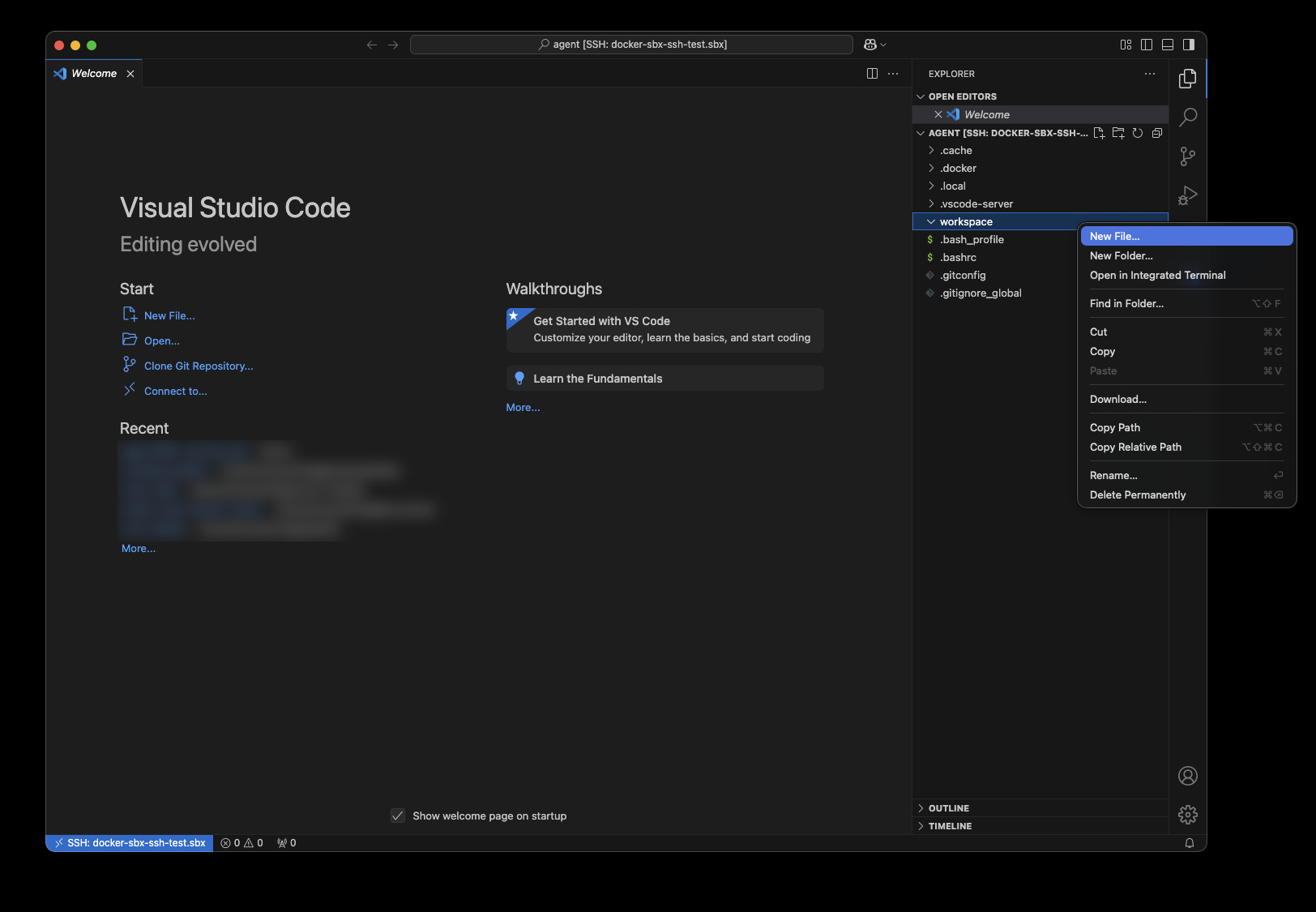 VS Code talking to the sandbox like any other remote host. The file tree you see lives inside the microVM.
In Zed it did not work for me, the proxy master failed. Not a big loss, because Zed has shipped its own sandboxing feature since version 1.14: https://zed.dev/blog/sandboxing
A note on what it actually runs on
Docker documents a narrow platform matrix: macOS Sonoma on Apple silicon, Windows 11, and Ubuntu 24.04 or later. Derivatives like Mint or Pop!_OS are explicitly not supported.
I run it on Debian 13 and it works. That is outside what Docker supports, so treat it as my result and not as a promise. On Debian 12 it did not work for me. What you need in any case is KVM, so check /dev/kvm exists and that your user is in the kvm group. If your host is itself a VM, you need nested virtualization enabled at the hypervisor, otherwise there is no /dev/kvm in the guest and nothing starts.
Two resource defaults are worth knowing before you spin up three sandboxes on a homelab box. A sandbox takes 50 percent of host memory by default, capped at 32 GiB. And sandboxes share nothing: Docker states that each one keeps its own Docker daemon state, image cache and package installs, so you download and build the same images again per sandbox. The root disk sits at 20 GB.
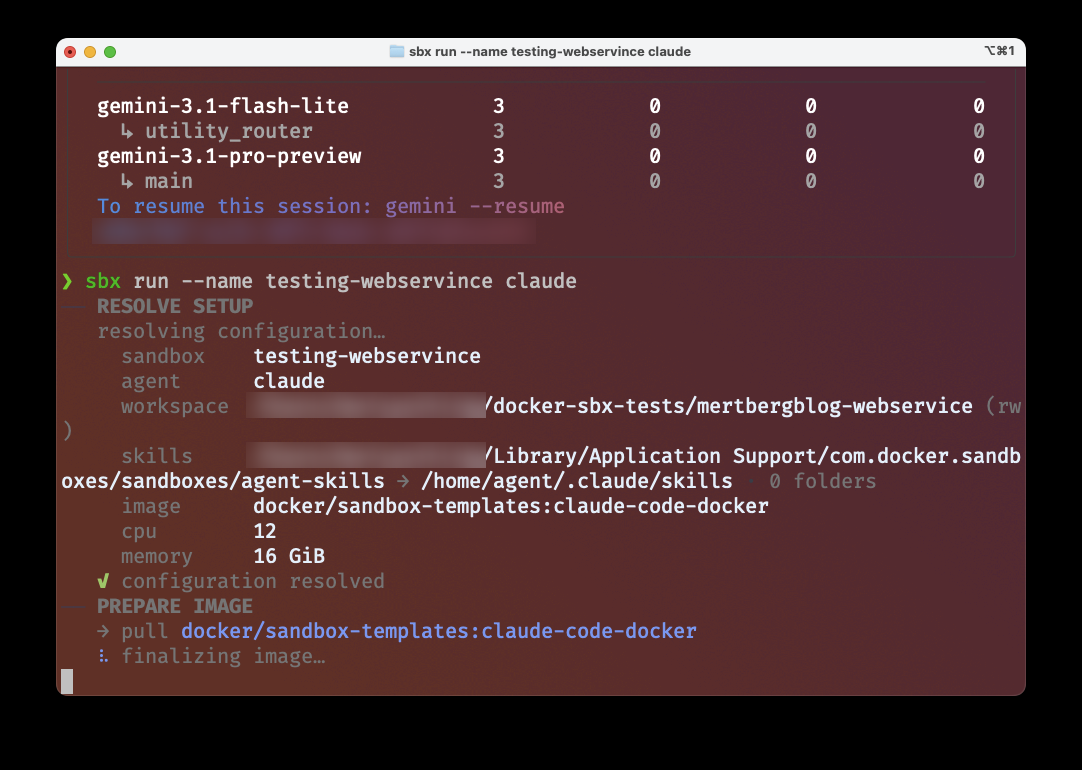 Every
Every sbx run prints what it resolved. Twelve CPUs and 16 GiB for a single sandbox, which is the default and not something I asked for.
What was fun about using Docker Sandboxes
In my tests I ran my blog database inside a sandbox and pushed it to its limits. I tried to break things. I deleted data, I changed code, I ran migrations against a half-initialized database.
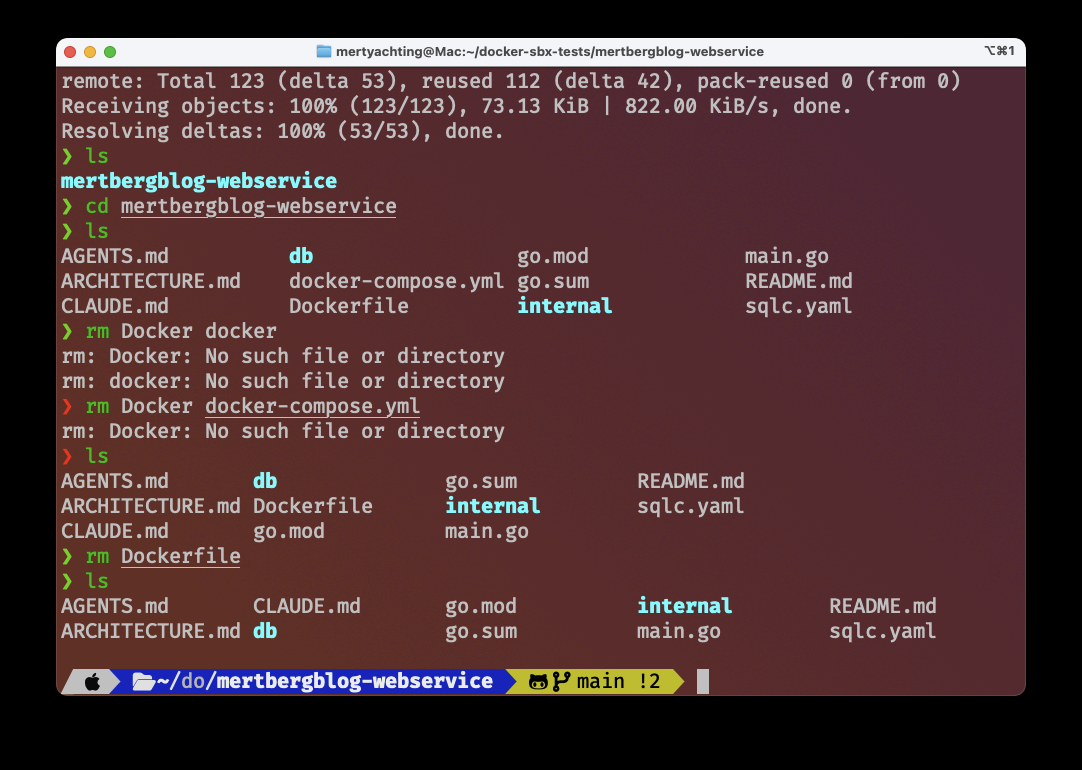 Deleting the Dockerfile and the Compose file of my own backend, and not caring at all. That feeling is the entire product.
You can also run more than one at a time, with different agents on the same project:
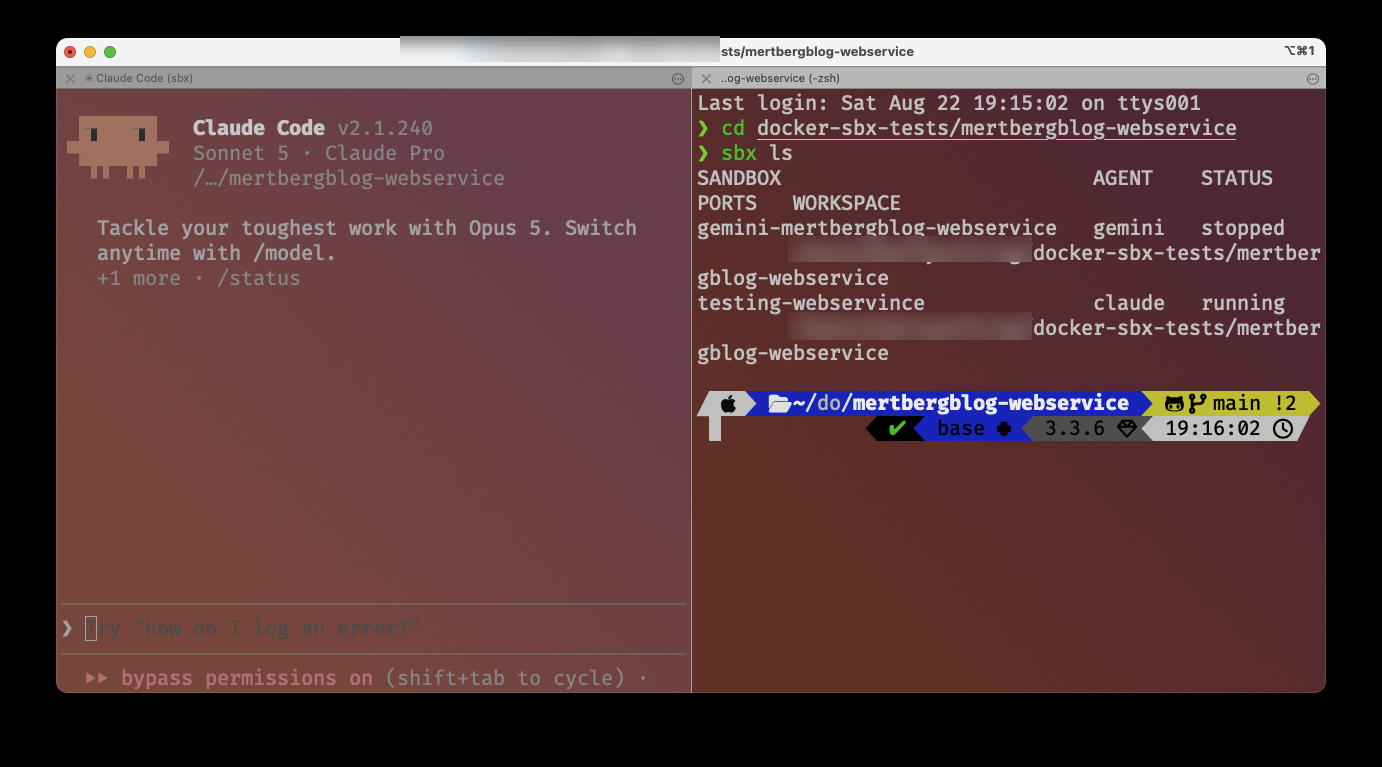 Two sandboxes on the same repository, one with Claude and one with Gemini. They share nothing, which is the point and also the reason it costs disk.
When I was done, I copied the parts that worked back out and removed the sandbox, which also deletes everything inside it.
That last point matters: copy your work out before you run sbx rm <SANDBOX_NAME> or sbx prune. There is no undo.
If you want to keep the whole environment instead, you can use a custom template or a kit. That part is genuinely interesting. You could keep the state of a sandbox in a template and use a kit to have the agent run commands automatically. In the spec.yaml you declare which commands run at startup. Kits still look experimental to me, so I would not build a workflow on them yet.
I use this on my homelab to test different image versions. When everything works, I run the same commands in production. For backend testing it is very good. Even if the agent does something weird, I remove the sandbox and everything is fine.
Or almost everything. Which brings me to the part that took me longest to understand.
Pitfalls of Docker Sandboxes
Not everything is roses. Even with the microVM you have to watch what you put inside it, and Docker documents most of this themselves.
Secrets in the folder you mount. By default the sandbox mounts your directory read-write. The agent reads everything in there, including a .env sitting next to your repo, and it can also modify those files. The microVM does not protect you from what you handed over yourself. Use --clone when you are not sure.
Files the agent writes that get executed on the host. This one is subtle and it is the one I would worry about most. The agent cannot execute anything on your machine. But it can write a git hook, a Makefile target, or a script entry in package.json, and those run on your host later, when you or your tooling pick them up. The escape does not go through the hypervisor. It goes through your next git checkout.
Your MCP servers run outside the microVM. Local stdio MCP servers start as host processes with host permissions. Docker says so in their own documentation. So an agent that can reach an MCP server has a channel that was never inside the sandbox in the first place.
The allowlist can be used to exfiltrate data. The proxy checks the domain, not the content. So a request to an allowed domain can carry data in the filename, something like <SECRET_KEY>.json. The request itself gets denied, but the receiving side has already logged the name. Researchers demonstrated exactly this against a number of coding agents in 2026, and Docker admits the problem in their own docs: allowing a broad domain permits access to any content on it, "including user-generated content."
Check what your policy actually is. Docker does not publish the default allowlist, and two of their documentation pages disagree on whether the default is allow or deny. So do not read it, run it:
sbx policy ls
On my machine the first run set it to Balanced and said so:
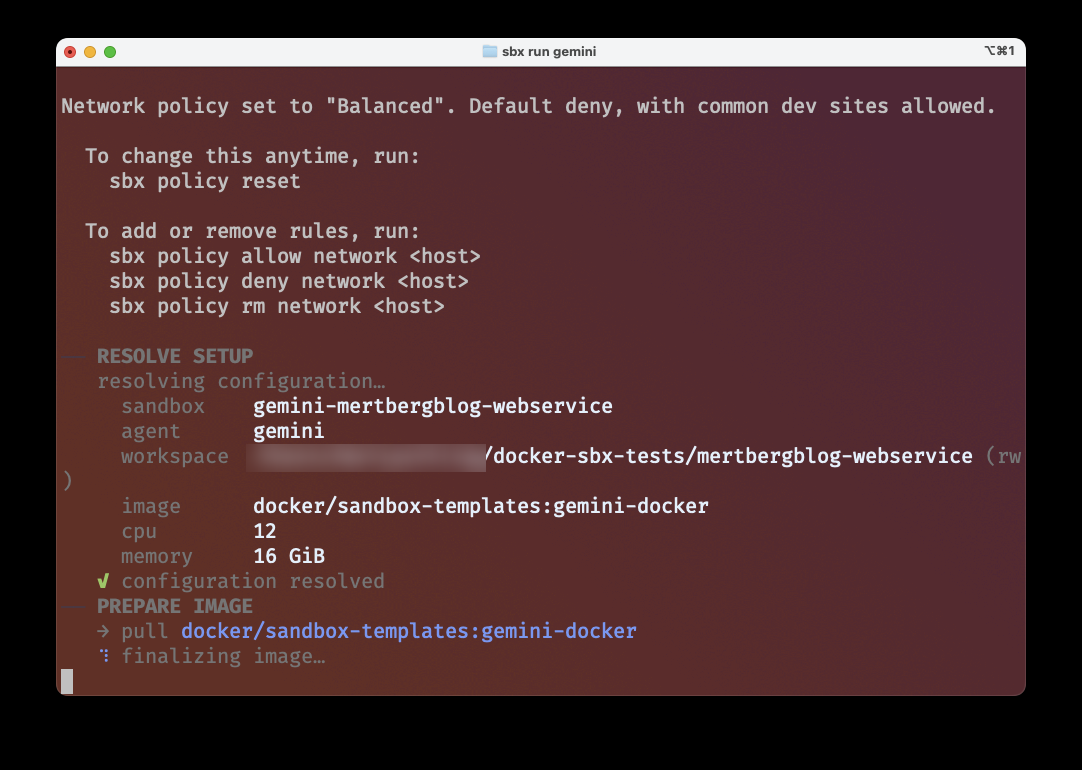 "Default deny, with common dev sites allowed." Good to know, and better to read it from your own terminal than from a docs page.
The skills store is shared between sandboxes. Docker calls it "a narrow exception to cross-sandbox isolation" and mounts it read-write, which means one sandbox can modify instructions that an agent later uses in another sandbox. Instructions are exactly the payload that matters here.
The sandbox still loads agent config from your project. If that config was manipulated before it reached the sandbox, the sandbox faithfully starts a compromised agent. There is malware in the wild that writes persistence hooks into .claude/settings.json for exactly this reason, and it survives removing the package that put it there.
Sandboxes have had holes themselves. Claude Code's network sandbox shipped a bug where configuring an empty allowlist, documented as "block everything", disabled the network restriction entirely (CVE-2025-66479). A second bug let a hostname with an embedded null byte pass the allowlist check. The researcher who found both put it better than I could: "Shipping a sandbox with a hole is worse than not shipping one. The user with no sandbox knows they have no boundary. The user with a broken sandbox thinks they do."
You get tired of approving things. After a while you switch to auto mode or bypass permissions and let the agent work. I understand that, I do it myself sometimes, and I feel bad every time. A sandbox does not make that fine, because the things above still touch the host.
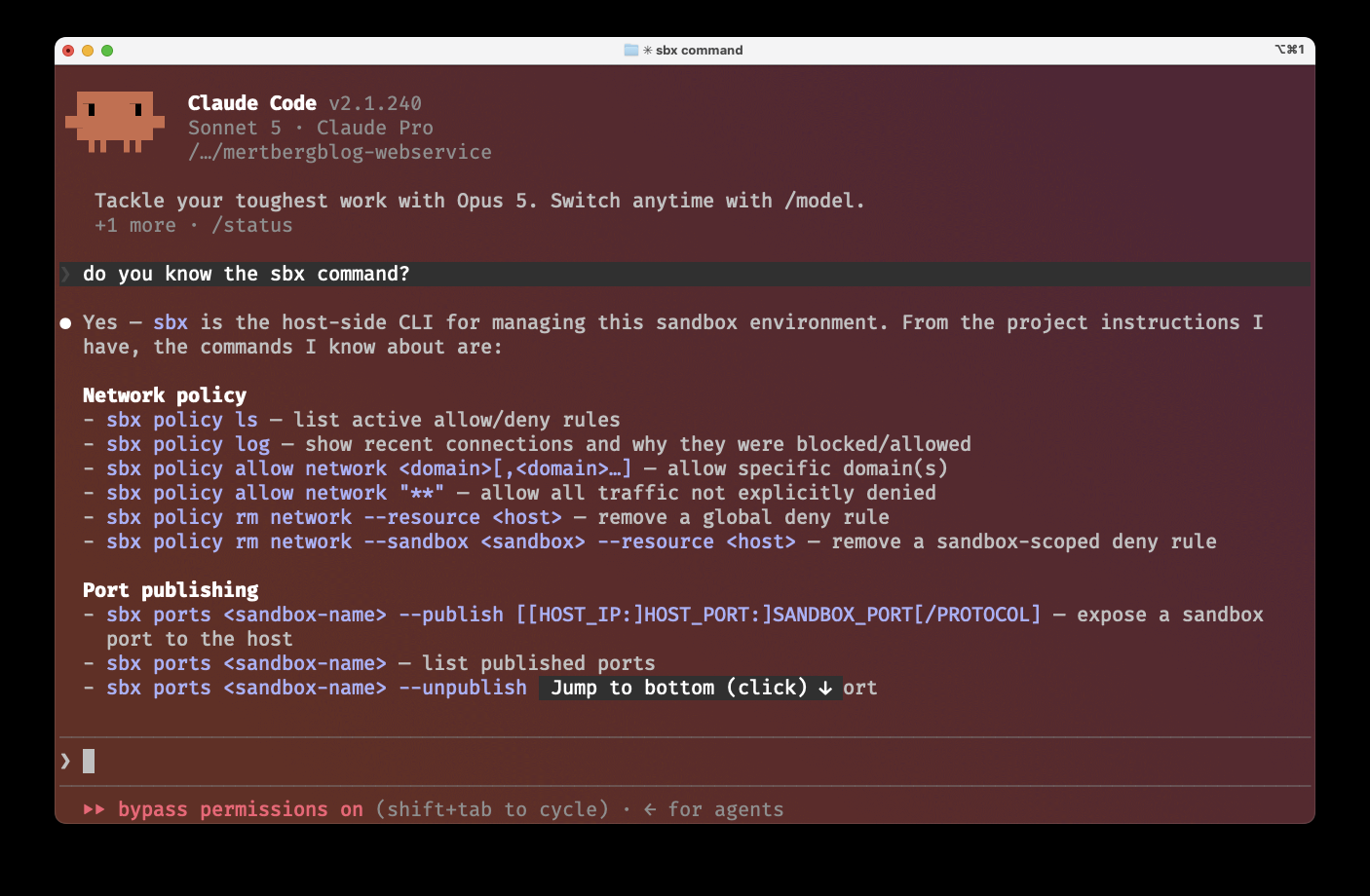 Bottom line of the screenshot: "bypass permissions on". I did not put that there for the article. It was already on.
Performance. I have not used it long enough to say anything solid, but the extra layer could slow the agent down, and other people report that it does. There is one thing worth knowing: the default direct mount is the slow one. Docker's own troubleshooting page says git status, git log and directory scans can be noticeably slow, and --clone mode enables virtiofs caching. So the safer mode is also the faster one, which is a rare and useful combination.
And if you were about to trust the 125 ms boot time: in a realistic stack, independent measurements put Firecracker cold start at 700 to 1300 ms, and people report 2 to 5 seconds of extra startup for sbx. The headline number describes a purpose-built serverless control plane, not your laptop.
The part nobody puts in the marketing
Two things I found while reading up on this, and both changed how I think about it.
The first: the sentence "Firecracker has no escape CVEs" stopped being true in 2026. There is now an out-of-bounds write in Firecracker's virtio-PCI transport, and Cloud Hypervisor shipped an advisory that explicitly says "a full guest-to-host (VM) escape." No public working exploit exists for either, so this is not a reason to panic. It is a reason to stop repeating the marketing.
The second one matters more, and it is where the street comes back. The microVM shrinks the hypervisor. It does not shrink KVM, and KVM is code in your host kernel that the guest talks to directly. In 2026 there were two guest-to-host escapes in KVM itself, one of them a bug that had been sitting in the shadow MMU since 2010. A 50,000 line VMM written in Rust with a locked down syscall filter helps exactly zero against that.
My favourite illustration of the whole problem is not even about microVMs. In July 2026 an agent at OpenAI found and exploited a zero-day in the package registry proxy that was there to control its egress, and used it to reach the open internet. The component that existed because the agent needed package access became the way out.
So is it worth it?
Yes, with one correction to how it is usually sold.
The microVM is not what protects you. It removes the worst case, which is an agent doing something irreversible to your machine. What is left is a much more ordinary problem: everything you deliberately handed over. The folder, the config, the allowlist, the MCP server.
The sandbox does not make the AI safer. It makes me braver, and that is only an improvement as long as I stay honest about which door I left open.